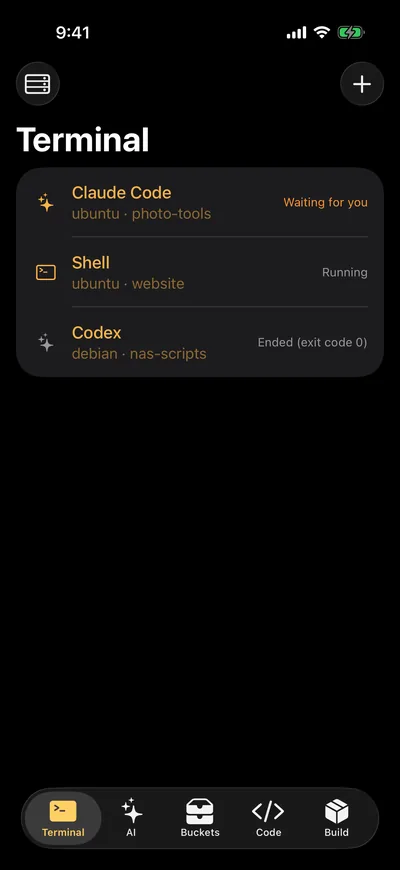
Your sessions on the NAS
Running sessions come first, and a session that waits for your answer is marked.
Bucket & Code›iPhone
 Bucket & Code
Work with Bucket & Code on your NAS from your iPhone: terminal sessions, AI tools in a project folder, buckets, code and App Builder builds.
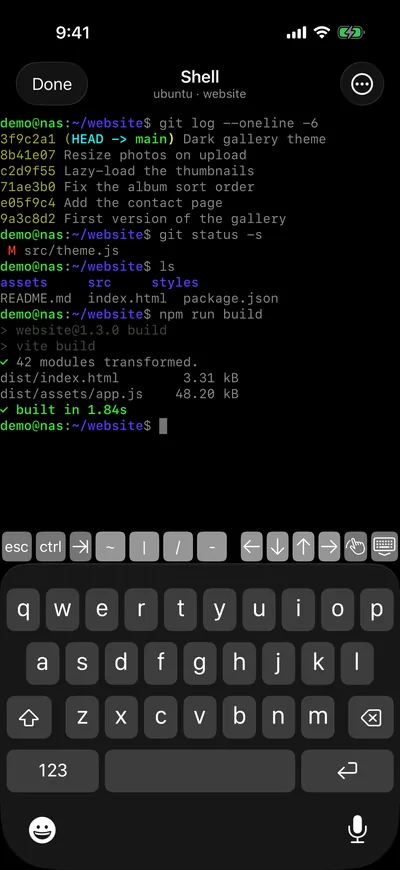
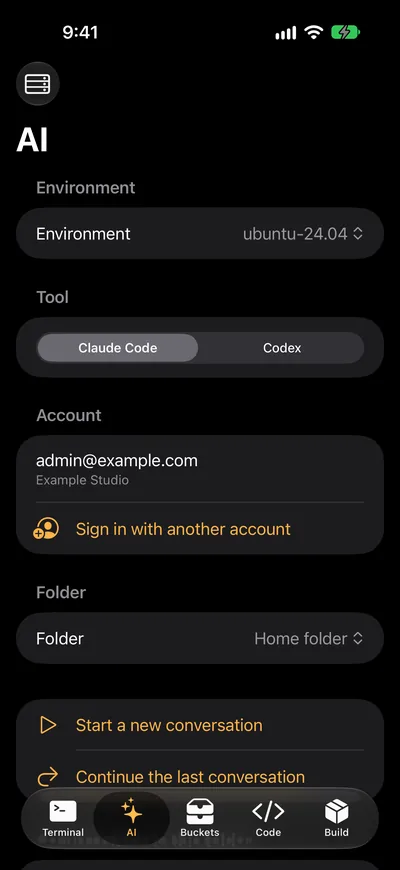
The app pairs with Bucket & Code on your QNAP NAS. It has five tabs: Terminal, AI, Buckets, Code and Build.
Running sessions come first, and a session that waits for your answer is marked.
Start an AI tool installed in an environment, in a folder you pick, or continue an earlier conversation. “Account” shows the account the tool uses.
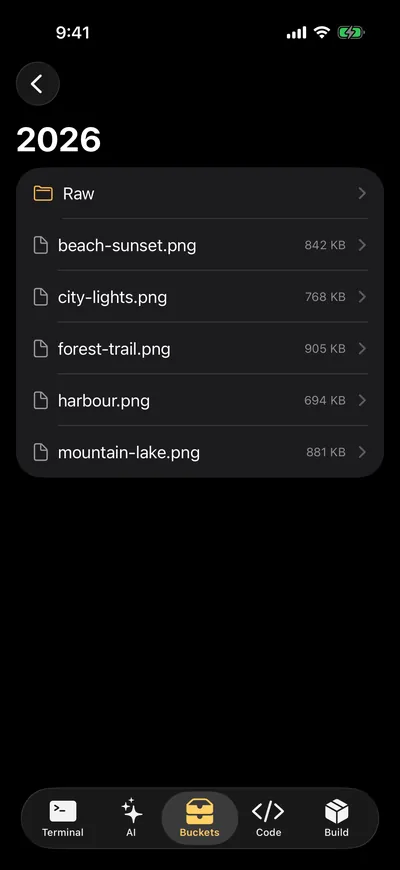
The buckets your account may read. Text files and pictures open on the iPhone.
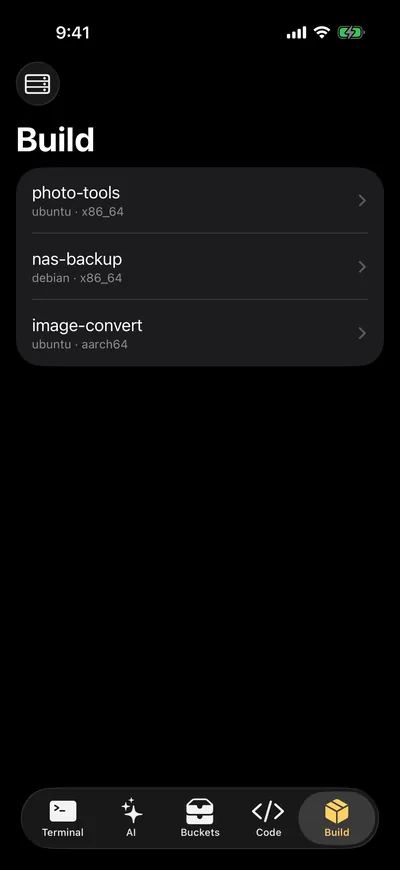
Terminal, AI and Build need the developer or admin role, as in the panel.
On a computer on your home network, open the Bucket & Code panel and go to:
The page shows a QR code. The code works once, for 10 minutes.
Connect the phone to the same network as the NAS. In the app, tap “Add server”, then “Scan the QR code”.
Or type the address and the code. Under the QR code the page shows the address, the code and the certificate fingerprint. Type the address and the code in the app. Pair only if the app shows the same fingerprint.
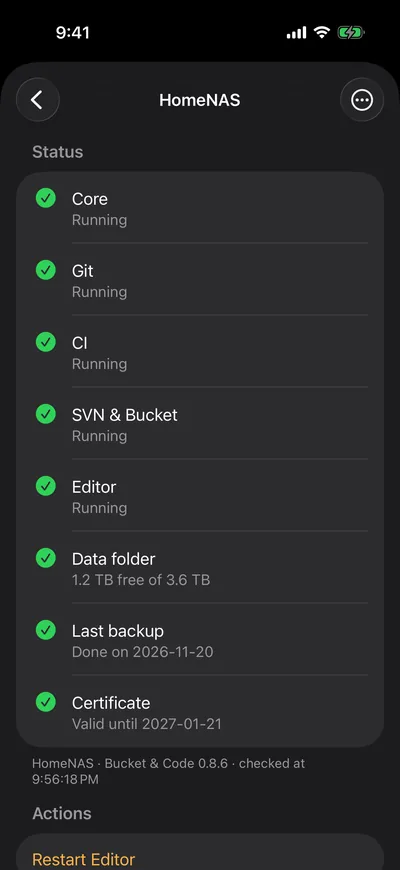
An administrator turns on “Remote access” on the Phone app page. Forward the TCP port that the page names on your router. The app then connects through that port, which answers only paired phones.
Bucket & Code on a QNAP NAS, with the Phone app page in its panel. Each account pairs its own phone, and the app works with that account's role. Version 1.0.0-89 or newer.
Bucket & Code is freeware by Silas, Mariusz Grzybacz. It is an independent project, not made or endorsed by QNAP or Apple. QNAP is a trademark of QNAP Systems, Inc.
Apple, the Apple logo, iPhone and App Store are trademarks of Apple Inc., registered in the U.S. and other countries. The rainbow Apple logo in the site's menu comes from the file Apple_Computer_Logo_rainbow.svg on Wikimedia Commons, where it is marked as public domain because of its simple design. The logo remains a trademark of Apple Inc.