Unofficial

WebPorticoAndroid

RePortico

RePortico for Android

The sites that WebPortico serves on your NAS, and the NAS's apps, as tiles on your phone. A tap opens a site or an app.

APK 1.0.0878 kBAndroid 8.0 or newer

The tiles of a paired WebPortico
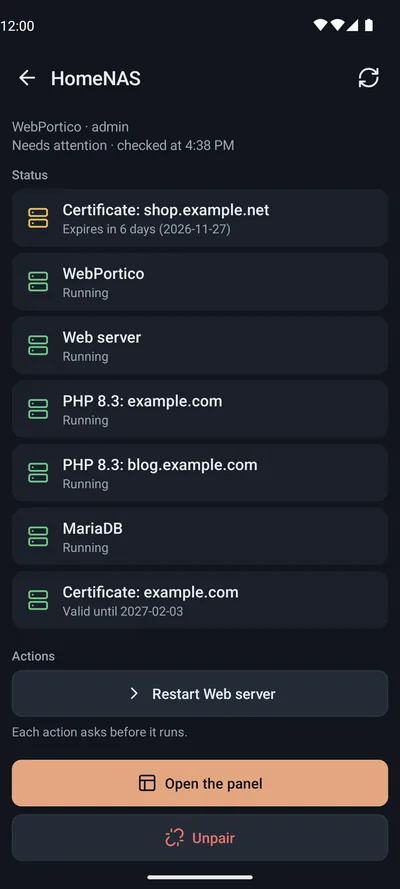
A server's status screen

What the app does

RePortico pairs with WebPortico on your QNAP NAS. It has three tabs: Tiles, Notifications and Servers.

Every site and app as a tile

One grid holds the tiles of every WebPortico you paired: its panel, its sites and the NAS's apps.
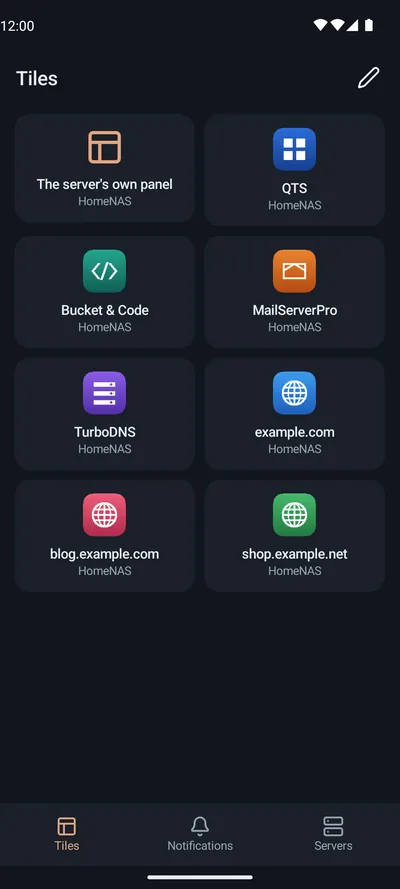
The Tiles tab

You pick the tiles

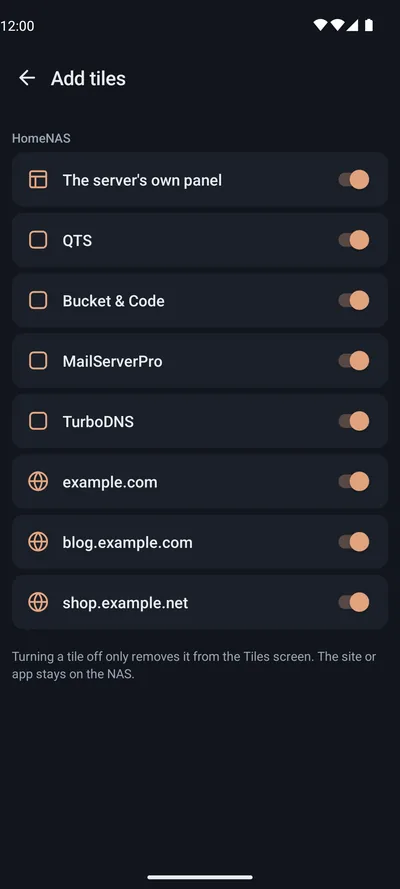
Edit lists each server's sites and apps with a switch for each. A switch takes effect at once.

Edit, with a switch for each site and app

A tile opens in the app

The site opens through WebPortico's phone port, signed in for that tile only.
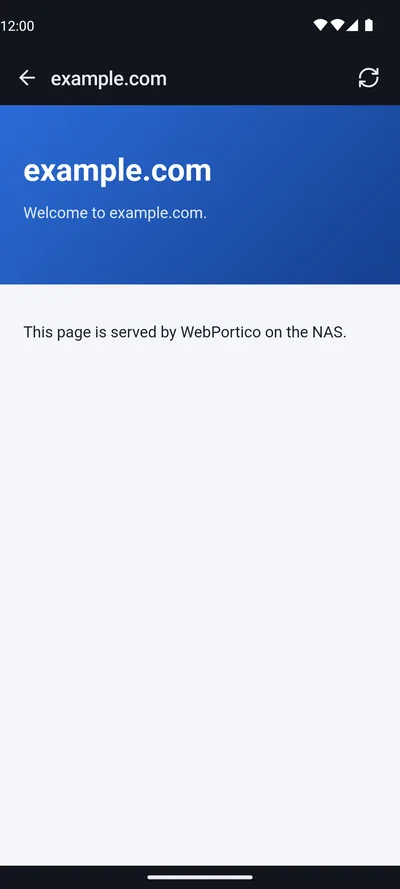
A site opened from its tile

Each server's state

Errors come first, then WebPortico's actions, each after a confirmation.

A server's status screen with one warning
All features
  • Tiles. One grid shows the tiles of every WebPortico that you paired: its panel, its sites and the NAS's apps that you turned on.
  • You pick the tiles. Edit lists each server's sites and apps, with a switch for each.
  • A tile opens in the app. The site or app opens through WebPortico's phone port, signed in for that tile only.
  • Servers. The tab lists the WebPortico servers that you paired, with their last state and when it was checked.
  • Notifications. WebPortico's notices appear on the phone.

Install

F-Droid

  1. Install F-DroidF-Droid is a free app store for Android. Download it from f-droid.org. F-Droid's website
  2. Add our repositoryOn your phone, tap the link below. F-Droid opens and asks whether to add the repository. Add the repository to F-Droid
    Or open Settings › Repositories in F-Droid, tap + and scan the QR code or paste the address.
  3. Install RePortico from F-DroidSearch for RePortico in F-Droid and tap “Install”. F-Droid then shows each update of the app.
Address
https://pub.nasutils.net/fdroid/repo
Fingerprint
38A4 C5C5 8C34 5E23 AF70 1FB7 5B22 82B6 7D74 FD50 1B66 7A8F 168F 478D 6E15 0F2A

Scan this code in F-Droid to add the repository.

The F-Droid version has the same signature as the APK from our site. Each one installs as an update of the other, and your phone stays paired with your NAS.

Install the APK

  1. Download the APKIf your browser asks whether to keep the file, confirm.
  2. Open the downloaded fileIf Android warns you about an unknown source, tap “Settings”, turn on “Allow from this source” and return to the installer. You can turn this setting off again after installation.
  3. Tap “Install”

Pair the app with your NAS

  1. Phone appPair a phone

    Open the Phone app page

    On a computer on your home network, open the WebPortico panel at its own address and go to:

    Phone appPair a phone

    The page shows a QR code. The code works once, for 10 minutes.

  2. Add serverScan the QR code

    Scan the code with the app

    Connect the phone to the same network as the NAS. In the app, tap “Add server”, then “Scan the QR code”.

    Or type the address and the code. Under the QR code the page shows the address, the code and the certificate fingerprint. Type the address and the code in the app. Pair only if the app shows the same fingerprint.
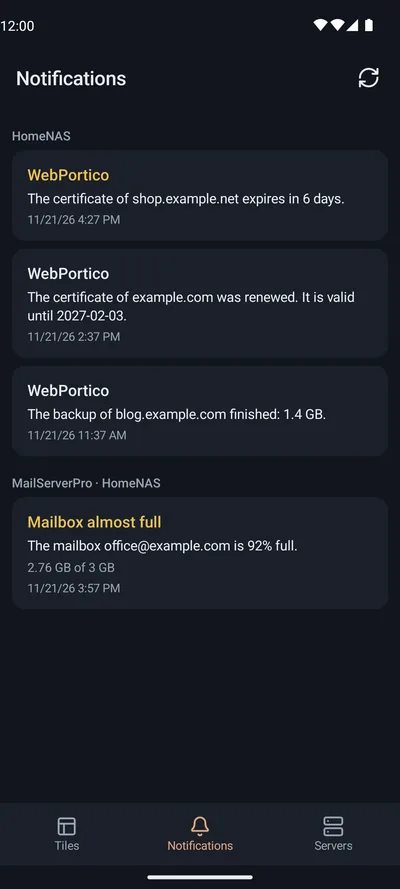
  3. Notifications from WebPortico and MailServerPro

    Away from home

    On the Phone app page, under “Remote access”, turn on “Allow connections from outside the home network”. Forward the TCP port that the page names on your router. The app then connects through that port, which answers only paired phones.

Requirements

Android 8.0 or newer. Tiles open through WebPortico's phone port, which needs Android 10 or newer. On Android 8 and 9 the app shows the status screen and the panel on your home network only.

On the NAS

WebPortico on a QNAP NAS, with the Phone app page in its panel.

RePortico is freeware by Silas, Mariusz Grzybacz. It is an independent project, not made or endorsed by QNAP or Google. QNAP is a trademark of QNAP Systems, Inc.

Android, Google Play and the Google Play logo are trademarks of Google LLC. The Android robot in the site's menu is reproduced or modified from work created and shared by Google and used according to the terms of the Creative Commons 3.0 Attribution License.